
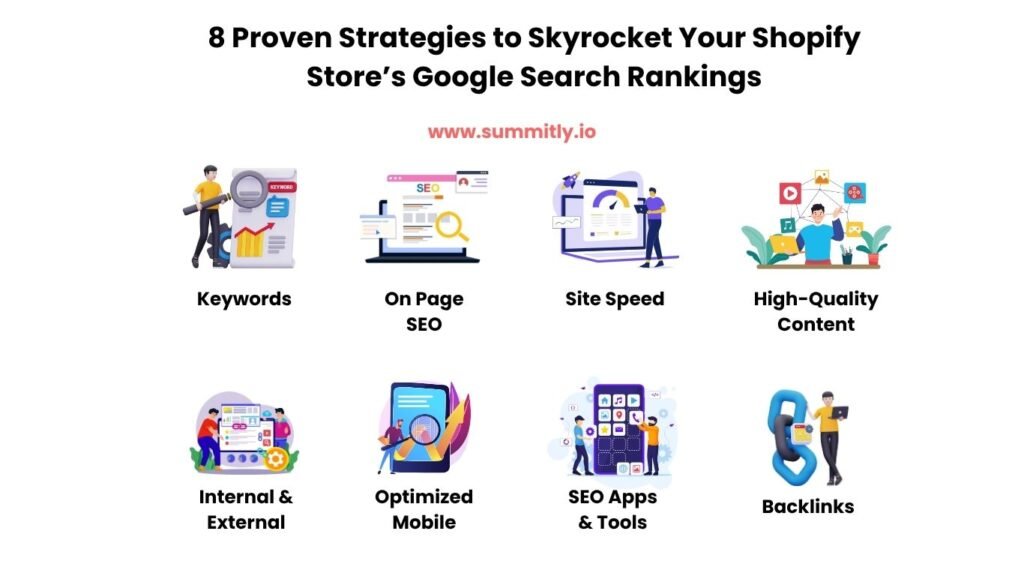
Shopify Store owners, rejoice! Ranking high on Google can transform your online business by driving traffic and boosting sales. Optimizing your store for search engines may seem challenging, but with the right strategies, you can dominate search results. This article outlines eight proven tactics to elevate your store’s Google rankings, ensuring your products reach more customers.
Why SEO Matters for Your Store
Search Engine Optimization (SEO) is critical for online success. A well-optimized store attracts organic traffic, increases conversions, and grows revenue. With Google processing over 8.5 billion searches daily, ranking high for relevant keywords ensures your store stands out against competitors.
1. Conduct Keyword Research for Your Store
Keyword research lays the groundwork for SEO success. Targeting the right keywords helps your store appear in relevant searches.
- Use Tools Like Ahrefs or SEMrush: Platforms like Ahrefs (DoFollow) and SEMrush (DoFollow) identify high-traffic, low-competition keywords. Focus on long-tail keywords like “best eco-friendly Shopify Store” for niche audiences.
- Analyze Competitors: Study competitors’ Shopify Stores to uncover their top keywords using tools like Ahrefs’ Site Explorer.
- Incorporate Keywords Naturally: Use “Shopify Store” in product descriptions, titles, and blogs, aiming for a 1% keyword density (about 7-10 uses in a 700-word article).
Pro Tip: Try Google’s Keyword Planner (DoFollow) for keyword ideas tailored to your niche.
2. Optimize On-Page SEO Elements
On-page SEO ensures Google understands your store’s content. Focus on these elements:
- Title Tags: Include “Shopify Store” in title tags, keeping them under 60 characters. Example: “Shopify Store: Top Organic Skincare Products.”
- Meta Descriptions: Write compelling meta descriptions (under 160 characters) with “Shopify Store.” Example: “Explore our Shopify Store for eco-friendly skincare. Shop now!”
- Headings: Use “Shopify Store” in H1, H2, or H3 tags, as shown in this article.
- Image Alt Text: Add descriptive alt text with “Shopify Store” to images. Example: “Shopify Store sustainable skincare product.”
Visit our product page optimization guide for more tips.
3. Improve Site Speed for Better Rankings
Google prioritizes fast websites. A slow store hurts rankings and user experience.
- Compress Images: Use TinyPNG (DoFollow) to reduce image sizes without quality loss.
- Enable Lazy Loading: Shopify’s built-in lazy loading delays offscreen images, improving load times.
- Choose a Fast Theme: Select lightweight Shopify themes like Debut. Test speed with Google PageSpeed Insights (DoFollow).
Stat: Pages loading in 2 seconds have a 9% lower bounce rate (DoFollow).
4. Create High-Quality Content
Engaging content drives traffic and rankings. A blog on your store can attract organic visitors.
- Write Blog Posts: Create posts like “Top 10 Tips from Our Shopify Store” to target relevant keywords.
- Use Varied Formats: Include lists, guides, and videos to increase dwell time.
- Update Regularly: Fresh content signals relevance to Google. Aim for 1-2 posts monthly.
Internal Link: Check our blog content strategy guide for inspiration.
5. Leverage Internal and External Linking
Linking improves SEO and navigation.
- Internal Links: Connect related pages within your Shopify Store. Link from a blog post to a product page like Shop All Skincare.
- External Links: Reference trusted sites like Moz (DoFollow) for SEO tips or Shopify’s Blog (DoFollow) for e-commerce insights.
- Anchor Text: Use descriptive anchor text like “Shopify Store SEO strategies” for relevance.
Pro Tip: Limit to 2-3 internal and external links per 500 words.
6. Optimize for Mobile Users
With over 60% of searches on mobile (DoFollow), a mobile-friendly Shopify Store is essential.
- Responsive Design: Ensure your Shopify theme is mobile-responsive. Test with Google’s Mobile-Friendly Test (DoFollow).
- Simplify Navigation: Use clear menus and large buttons for touchscreens.
- Fast Mobile Load Times: Optimize images and reduce scripts for mobile users.
7. Use Shopify SEO Apps and Tools
Shopify’s app ecosystem simplifies SEO.
- Plug In SEO: Identifies and fixes SEO issues on your Shopify Store.
- Yoast SEO for Shopify: Optimizes meta tags and content structure.
- Google Analytics: Tracks performance. Install via Shopify or Google Analytics (DoFollow).
See our recommended Shopify apps for more tools.
8. Build Backlinks to Your Store
Backlinks from reputable sites boost your Shopify Store’s authority and rankings.
- Guest Blogging: Write guest posts for industry blogs, linking back to your Shopify Store.
- Reach Out to Influencers: Partner with bloggers or influencers to feature your products, earning DoFollow backlinks.
- Submit to Directories: List your Shopify Store in niche directories like DMOZ (DoFollow, if available).
Pro Tip: Focus on quality over quantity; one high-authority backlink is worth more than many low-quality ones.
Optimizing your store for Google search rankings is a powerful way to increase visibility and sales. By implementing these eight strategies—keyword research, on-page SEO, site speed, quality content, linking, mobile optimization, SEO tools, and backlinks—you can outshine competitors and attract more customers. Start today to see your store climb the search rankings!
Ready to take your store to the next level? Visit Summitly.io for expert guidance and tools to optimize your online store and drive more traffic!


 Back to Blog