The Best SEO Plugin for WooCommerce: Maximize Your Store’s Visibility with Summitly

In the competitive e-commerce market, getting noticed is key to success. If people can’t find your WooCommerce store on search engines, you might be missing out on sales. At Summitly, we know how important it is to have a strong SEO plan that works well with WooCommerce. In this guide, we unveil the best SEO plugin for WooCommerce, underscore its significance, and demonstrate how our unique approach at Summitly can propel your store past competitors and to the top of Google rankings.

Why WooCommerce SEO Matters More Than Ever

As of 2025, over 30% of all online stores use WooCommerce. That means your online store is competing against thousands of others, often selling similar products. But here’s the truth: the difference between success and invisibility isn’t just your product—it’s your SEO.

WooCommerce is powerful, but its built-in SEO features are limited. That’s why choosing the best SEO plugin for WooCommerce is crucial. It enables product optimization, schema markup, image SEO, and technical enhancements that search engines love.

Top Features to Look For in the Best SEO Plugin for WooCommerce

Before we unveil our top pick, let’s look at what makes an SEO plugin the best:

  • Product Page Optimization – Custom titles, meta descriptions, and keywords for each product.
  • Schema markup is essential for helping search engines accurately interpret crucial information about your products, including their ratings, prices, and availability.
  • Breadcrumbs & Navigation – Enhances UX and internal linking.
  • Image Optimization – Compresses and tags product images for faster loading and higher rankings.
  • XML Sitemaps – Keeps your product pages discoverable.
  • Integration with Analytics – Allows for performance tracking and improvement.

The plugin should not only optimize but also simplify the SEO process.

The Best SEO Plugin for WooCommerce in 2025: RankMath SEO Pro

After thorough analysis, user feedback, and real-world testing, RankMath SEO Pro stands out as the top SEO plugin for WooCommerce in 2025. Here’s why Summitly recommends RankMath as our preferred plugin:

1. Built-In WooCommerce Module

RankMath Pro comes with a dedicated WooCommerce module. It allows you to optimize product titles, meta tags, and descriptions effortlessly. You can even add product-specific schema, such as price, stock, reviews, and ratings, to enhance visibility in rich results.

2. Keyword Tracking and Suggestions

RankMath helps you naturally integrate your keyphrases (such as “best SEO plugin for WooCommerce”) throughout your content and product listings. It suggests secondary keywords and monitors keyword density, making it easy to stay optimized.

3. Image SEO Automation

Images play a crucial role in WooCommerce. RankMath helps by adding alt and title tags to your product images. This ensures your images are properly indexed and ranked in Google Images, which can increase your traffic.

4. Advanced Schema Generator

RankMath’s schema builder is top-notch, covering everything from product and FAQ schema to review and video markup. With a little help from Summitly, you can make the most of these tools to boost your store’s visibility in search results.

5. Seamless Integration with Google Search Console & Analytics

Track your WooCommerce store’s organic performance directly from your WordPress dashboard. RankMath shows keyword rankings, CTRs, and indexed URLs. It empowers Summitly to craft better strategies using real-time insights.

Summitly’s Proven WooCommerce SEO Strategy

At Summitly, we don’t stop at installing the best plugin—we build a tailored SEO strategy that drives growth:

✓ Custom Product Optimization

We don’t use generic descriptions. Each product in your WooCommerce store gets custom titles, meta descriptions, and long-tail keyword placement to ensure search relevance.

✓ Smart Category Architecture

We design an intuitive and SEO-friendly category hierarchy. With proper use of internal linking and breadcrumbs, we improve both crawlability and user experience.

✓ Blog & Content Marketing Integration

Using content like this very post, we integrate your products into high-value, SEO-optimized blog articles. With natural keyphrase placement, such as the best SEO plugin for WooCommerce, we create content that ranks and converts.

✓ Speed & Mobile Optimization

Google prioritizes speed. We optimize your store’s performance using plugins, CDN, and caching layers. Combined with RankMath’s lightweight schema and image optimization, your store loads fast and ranks higher.

✓ Competitor Benchmarking

With built-in analytics and Summitly’s proprietary tracking, we analyze your competitors using the exact keyphrases. We identify ranking gaps and position your store to strategically outrank them.

Real Results: WooCommerce Stores Thriving with Summitly + RankMath

Our clients see tangible benefits:

  • 300% rise in organic traffic in a span of 6 months
  • Improved CTR by 25% after implementing enhanced product schema
  • Higher rankings for long-tail keywords, including highly competitive terms like “best SEO plugin for WooCommerce”

These are not isolated results—they are repeatable wins powered by the Summitly method.

How to Get Started with Summitly + RankMath

Optimizing your WooCommerce store doesn’t have to be complicated. Here’s how Summitly makes it simple:

  1. Free SEO Audit – We assess your current WooCommerce SEO health.
  2. Plugin Setup & Configuration – We install RankMath Pro and configure it for maximum performance.
  3. Content Optimization – From product pages to blogs, we align every piece of content with target keywords.
  4. Ongoing Reporting & Improvement – Track progress and continuously adapt with monthly performance reports.

Don’t Just Sell—Be Found

If you’re running a WooCommerce store in 2025, relying on default settings isn’t enough. Choosing the best SEO plugin for WooCommerce, like RankMath Pro, is the first step. But the real growth comes from partnering with a team that knows how to make it work for your brand.

At Summitly, we combine technical SEO, content strategy, and conversion optimization to give your WooCommerce store the visibility it deserves.

Let’s Climb the Rankings Together

Ready to dominate search results? Trust Summitly to help you implement the best SEO plugin for WooCommerce and build a store that Google (and your customers) can’t ignore.

👉 [Contact Summitly Today] to schedule your free WooCommerce SEO audit.
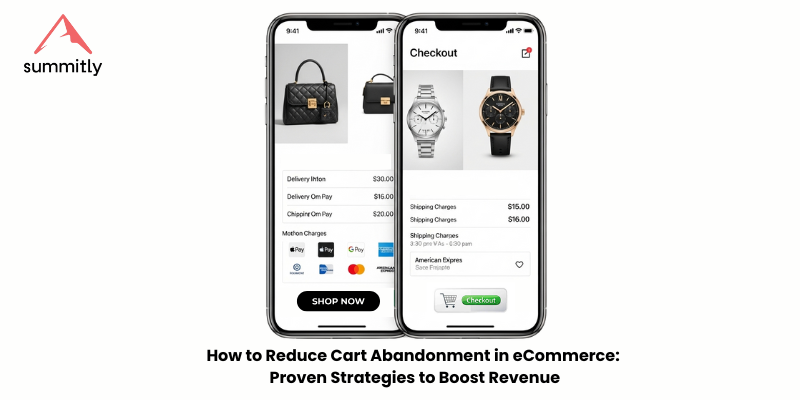
How to Reduce Cart Abandonment in eCommerce: Proven Strategies to Boost Revenue

Reduce cart abandonment in eCommerce by understanding why it happens and implementing data-driven solutions that keep your customers moving through checkout. The most aggravating part of running an online store is seeing customers abandon their carts as soon as they add products to them. Recovering these lost sales and turning more visitors into loyal, paying clients is possible with proven tactics.

In this guide, we’ll walk you through the data, causes, and best practices to help lower your cart abandonment rate and maximize your store’s potential.

Understanding the Average eCommerce Cart Abandonment Rate

The average eCommerce cart abandonment rate is approximately 70%, according to reports from Baymard Institute and other industry benchmarks. That means 7 out of 10 shoppers who show purchase intent leave before converting. This represents a significant loss in revenue and growth potential for e-commerce businesses.

Why Do Shoppers Abandon Their Carts?

Before applying solutions, it’s essential to understand why customers leave. Common reasons include:

  • Unexpected shipping costs
  • Forced account creation
  • Complicated or lengthy checkout processes
  • Limited payment methods
  • Concerns about website security
  • Slow website or mobile loading issues
  • Lack of trust in return or refund policies

Once you know the cause, you can implement targeted strategies to resolve it.

1. Streamline the Checkout Experience

A complex checkout process creates friction. The more steps involved, the higher the chance of drop-off.

Solutions:

  • Offer guest checkout (no account required)
  • Minimize form fields and autofill known information.
  • Use a simple, single-page checkout.
  • Provide a visual progress indicator (e.g., Step 1 of 3)

Simplicity reduces hesitation and speeds up the buying decision.

2.Provide Multiple Ways to Pay

Many users abandon carts because their preferred payment method isn’t available. The solution is to offer flexible, secure payment methods.

Options to include:

  • Major credit/debit cards
  • PayPal, Apple Pay, and Google Pay
  • Regional payment methods like GCash (especially in Southeast Asia)
  • Services that let you buy now and pay later, such as Klarna or Afterpay.

Customers expect convenience, and offering multiple payment options removes a significant conversion barrier.

3. Be Transparent About Costs Early

Hidden fees are one of the top reasons shoppers abandon their carts. Display all costs—including shipping, taxes, and additional fees—well before the final checkout page.

Best practices:

  • Show shipping options and fees on the product page or early in the checkout process
  • Highlight free shipping thresholds (e.g., Free shipping on orders over $50)
  • Use a cost calculator or cart estimator to give a total breakdown.

Transparency builds trust and prevents unpleasant surprises that can lead to abandonment.

4. Use Exit-Intent Popups Strategically

When users move to close the tab or navigate away, a well-timed exit pop-up can re-engage them with a compelling offer.

Ideas to test:

  • Offer a limited-time discount or free shipping code
  • Remind them of low stock or cart expiration.
  • Capture an email address for a remarketing sequence

Exit popups are effective when designed with a clear message and strong call to action.

5. Implement Abandoned Cart Email Sequences

Email is one of the most effective tools to recover lost sales. A properly timed and personalized email sequence can encourage users to return and complete their purchase.

Key elements of a high-converting cart recovery email:

  • Sent within 30 minutes to 1 hour of abandonment
  • Include product image, description, and price.
  • “Your cart is about to expire”—make it seem more urgent.
  • Give a discount, say 10%, as an incentive.

Email platforms like Klaviyo, Mailchimp, or Shopify Email offer built-in tools to automate this process.

6. Build Trust With Security and Guarantees

Shoppers are more likely to complete a transaction when they feel safe and assured.

Ways to improve trust:

  • Display trust badges and secure payment logos at checkout
  • Clearly outline your refund and return policies.
  • Highlight customer testimonials or product reviews on the checkout page.
  • Use HTTPS and show visible signs of encryption.

Security and trust signals directly reduce friction and hesitation during the final purchase stage.

7. Optimize for Mobile and Speed

Mobile shopping is dominant, but mobile abandonment rates are also higher. Ensure your website offers a fast and seamless experience on all devices.

Focus on:

  • Responsive mobile design with large buttons and simple navigation
  • Very quick page refreshes (strive to go under three seconds)
  • Minimized use of heavy scripts or popups that interrupt user flow

You can measure and optimize performance with tools like GTmetrix and Google PageSpeed Insights. 

8. Retarget Cart Abandoners With Ads

When people leave your site without buying anything, retargeting is a great way to entice them to come back. You can display targeted adverts to remind people of what they left behind using networks like Facebook adverts and Google Display Network.

Effective retargeting tactics:

  • Display product images from their cart
  • Include a time-sensitive discount.
  • Lead them directly to their saved cart.

Retargeting keeps your brand top of mind and encourages return visits from warm prospects.

9. Analyze Data and Continuously Optimize

Reduce cart abandonment in ecommerce isn’t a one-time fix. Use analytics to identify patterns, track changes, and improve performance.

Use tools such as:

  • Google Analytics (for checkout drop-off reports)
  • Hotjar or Crazy Egg (for heatmaps and session recordings)
  • A/B testing tools to experiment with changes

The more data-driven your decisions are, the better your results will be.

Summary: Proven Strategies to Reduce Cart Abandonment in eCommerce

To reduce cart abandonment in eCommerce effectively, focus on:

  • Simplifying checkout
  • Offering more payment options
  • Being transparent with shipping and fees
  • Using smart email and pop-up strategies
  • Building trust and optimizing for mobile
  • Retargeting abandoners with ads
  • Constantly analyzing and improving your funnel

Every change, no matter how small, can result in measurable improvements in your conversion rate. With consistent optimization and user-focused design, you can significantly reduce cart abandonment in eCommerce and boost your bottom line.

Book a free appointment with Summitly today!

The Best Free Apps for Shopify Stores in 2025: Essential Tools for Scaling Smart

The best free apps for Shopify are essential in 2025, not just for enhancing your store’s design or product offerings, but also for streamlining operations, engaging customers, and increasing conversions without incurring additional costs. Thankfully, the Shopify App Store is rich with free solutions designed to support growth for store owners at every stage.

In this Summitly guide, we explore the best free apps for Shopify stores in 2025, highlighting those that deliver real ROI, address key pain points, and support long-term scalability. Whether you’re dropshipping, running a print-on-demand business, or scaling a DTC brand, these apps will help you compete smartly.

Why Free Shopify Apps Still Matter in 2025

With rising ad costs, increasing competition, and evolving customer expectations, every dollar counts for modern eCommerce businesses. Best Free Apps for Shopify allow merchants to:

  • Test tools without upfront investment
  • Automate repetitive tasks
  • Improve customer service
  • Increase AOV (average order value)
  • Retain more customers over time.

Unlike the early days of Shopify, today’s best free apps are packed with robust features, and many even rival paid tools, especially for growing stores.

1. Shopify Inbox – Live Chat & Messaging Made Easy

Category: Customer Support
Why It Stands Out: Shopify Inbox has become a must-have for stores seeking to personalize the shopping experience in real-time. It integrates with Facebook Messenger, Instagram, and email, enabling you to manage all conversations from a single location.

Key Features:

  • Real-time live chat
  • Automated welcome and away messages
  • Product recommendations directly in chat
  • Integrates seamlessly with the Shopify admin

In 2025, brands that succeed are those that establish a quick connection and humanize the buying experience. Inbox helps you do that—free of charge.

2. Judge.me – Collecting Reviews That Build Trust

Category: Social Proof & Reviews
In the era of user-generated content, reviews are gold. Judge.me is a fully functional free app for collecting and displaying product reviews. It’s lightweight, fast, and completely customizable to match your store’s brand identity.

Why Shopify Store Owners Love It:

  • Unlimited product reviews
  • Email and SMS review requests
  • Photo and video reviews
  • Widgets for SEO-rich review displays

Compared to competitors like Yotpo and Loox, Judge.me offers most of its features in the free version, making it ideal for startups and bootstrapped stores.

3. Klaviyo for Shopify – Email & SMS Marketing (Free Tier)

Category: Email Marketing
While Klaviyo is generally recognized as a premium tool, its free plan, which supports up to 250 contacts, remains one of the best entry-level email marketing solutions for Shopify. With the 2025 update, it also includes more robust automation flows and AI-powered segmentation even in the free tier.

Core Features:

  • Abandoned cart recovery
  • Pre-built flows for winback, welcome, and post-purchase
  • Drag-and-drop email builder
  • SMS marketing capabilities

Email remains the highest-ROI marketing channel, and Klaviyo’s deep Shopify integration gives it an edge over other tools.

4. DSers – Automate Dropshipping Orders with AliExpress

Category: Dropshipping
If you’re operating a dropshipping model, DSers (the official AliExpress partner) is your go-to app. It’s designed to replace Oberlo, offering faster order processing, bulk order management, and supplier optimization.

What Makes It One of the Best Free Shopify Apps:

  • Import products directly from AliExpress
  • Bulk order fulfillment
  • Supplier mapping & variants syncing.
  • Inventory updates in real-time

DSers keeps operations lean and efficient, letting you scale without spending on app fees.

5. SEO Ant – Image Optimizer & Alt Text Automation

Category: SEO Optimization
Page speed and SEO remain critical in 2025, primarily for mobile-first buyers. SEO Ant helps Shopify merchants optimize their image sizes and auto-generate alt texts—boosting both performance and search engine rankings.

Notable Features:

  • Compresses images without losing quality
  • Automates SEO metadata and alt text
  • Broken link checker
  • Sitemap submission

It’s an essential free tool if organic traffic is a key part of your growth strategy.

6. ReConvert – Optimize Your Thank You Page (Free for Small Stores)

Category: Post-Purchase Upsells
ReConvert turns your thank-you page into a powerful upselling tool. Even on the free plan, it offers impressive customization and the ability to boost AOV through personalized offers.

Why It Works:

  • Custom widgets for cross-sells
  • Birthday collection, reorder buttons, and surveys
  • Countdown timers and one-click upsells

If you’re generating traffic but want to increase revenue per customer, ReConvert’s free tier is a valuable addition.

7. Parcel Panel – Real-Time Order Tracking

Category: Shipping & Fulfillment
Customer anxiety about order status can damage trust. Parcel Panel addresses this issue with branded tracking pages and real-time updates, eliminating the need for an expensive subscription.

Features That Matter:

  • Customizable branded tracking page
  • Auto-sync with major carriers
  • Email notifications for order status changes
  • Analytics dashboard to track delivery performance

In 2025, customer communication post-purchase is just as crucial as pre-purchase engagement.

8. One Click Upsell – Pre & Post Purchase Offers

Category: Conversion Optimization
While many upsell apps are paid-only, One Click Upsell offers a generous free version that helps stores test and deploy high-converting offer funnels at checkout.

What You’ll Love:

  • Simple UI with pre-built templates
  • Smart AI-based offers suggestions.
  • Performance analytics dashboard
  • Works on mobile checkout seamlessly

It’s one of the rare apps that helps increase revenue from existing traffic, without charging a monthly fee at the entry level.

9. Stocky (by Shopify) – Smart Inventory Management

Category: Inventory & Analytics
Inventory mismanagement can lead to lost sales or excessive holding costs. Stocky, a native Shopify app, is an excellent free solution for inventory forecasting, low stock alerts, and vendor performance tracking.

Why It’s a Hidden Gem:

  • Demand forecasting based on historical sales
  • Purchase order generation
  • Location-based inventory tracking
  • Free for Shopify POS Pro users

Even without advanced warehouse software, Stocky helps streamline your backend.

10. TikTok for Shopify – Ads & Organic in One Place

Category: Social Commerce
Social selling is expected to continue growing in 2025, and TikTok remains a top traffic source. The TikTok for Shopify app enables you to connect your catalog, create ads, and manage organic content directly from your dashboard.

Top Features:

  • One-click pixel installation
  • Product catalog sync
  • Campaign creation and analytics
  • TikTok Shop integration

It’s essential for brands targeting Gen Z and Millennial shoppers, especially those prioritizing mobile-first content.

Choosing the Right Free Apps in 2025

Finding the best free apps for Shopify isn’t just about saving money—it’s about building a strong foundation for scalable growth. In 2025, these tools empower store owners to:

  • Automate key business functions
  • Create more meaningful customer interaction.s
  • Optimize conversions from every channel.

Of course, adding too many apps can slow down your store. Focus on apps that directly support your goals—whether that’s improving customer retention, optimizing checkout, or growing organic traffic.

As Shopify continues to evolve, staying updated on the best tools is essential for staying competitive. The apps listed above aren’t just free—they’re powerful, practical, and proven to be effective.

How to Improve Organic Traffic to My Online Store Without Spending Money

Increase organic search results and drive meaningful traffic to your online store—even if you have zero budget for ads. If you’re running an eCommerce business, you know how critical traffic is to your success. One piece of good news is that you do not have to spend any money in order to begin expanding. In this article, Summitly.io provides concrete and effective techniques that may be implemented to increase your store’s visibility and expand it in a natural way.

Why Organic Traffic Matters for Online Stores

People that find your website through unpaid or “natural” search keywords are called “organic traffic.” Organic traffic is frequently more expensive, increases more slowly, and has higher conversion rates than paid ads because it originates from those who are really interested in your offer.

If you’re wondering how to increase organic search results for your store, focusing on SEO, content marketing, and user experience is the way forward.

Step 1: Perform Keyword Research (Without Paid Tools)

To increase organic traffic, you must first determine which search phrases are used by your target demographic.

Use Free Keyword Research Tools

  • Google Keyword Planner (requires Google Ads login)
  • Ubersuggest (limited free version)
  • AnswerThePublic
  • Google Search Autocomplete and “People also ask”

Try to find low-competition, high-intent long-tail keywords. Try searching for “top eco-friendly running shoes” instead of “shoes.”

Pro Tip:

You need to choose keywords that align with your products and repeat them naturally to increase organic search results in your product pages and blog posts.

Step 2: Optimize On-Page SEO for Every Page

Your product pages, homepage, and blog content must be optimized to help Google understand what your store is about.

Key On-Page SEO Elements:

  • Title Tags: Include the main keyword close to the beginning
  • Meta Descriptions: Use compelling copy and your focus keyword
  • Headings (H1, H2, H3): Structure content using relevant keywords
  • Image Alt Text: Helps with both accessibility and SEO
  • URL Slugs: Keep them clean and keyword-rich (e.g., /eco-running-shoes)

Make sure each page includes relevant keywords and high-quality content to increase organic search results steadily over time.

Step 3: Create High-Value Blog Content

One of the best low-cost strategies to increase organic traffic is content marketing.

Start With:

  • How-to guides
  • Product comparisons
  • Listicles
  • Customer stories or case studies

For example:

  • “How to Choose the Right Backpack for Digital Nomads”
  • “Top 10 Sustainable Fashion Brands in 2025”

By publishing weekly blog content, optimized for long-tail keywords, you naturally increase organic search results while positioning your brand as an authority in your niche.

Step 4: Improve Site Speed and Mobile Usability

Google uses Core Web Vitals as a ranking factor. A slow, clunky site will hurt your rankings — and your conversions.

Free Tools to Audit Your Store:

  • Google PageSpeed Insights
  • GTmetrix
  • Mobile-Friendly Test (Google)

Tips to improve:

  • Compress images before uploading
  • Use fast, lightweight Shopify or WooCommerce themes
  • Eliminate unnecessary apps or plugins
  • Enable lazy loading for product images

A fast, mobile-friendly experience helps you increase organic search results by reducing bounce rates and improving dwell time.

Step 5: Use Internal Linking Strategically

By distributing page authority and assisting search engines in understanding your store’s structure, internal linking is a powerful tool.

Example:

In a blog post about “Best Skincare Routines,” link naturally to related products like organic facial cleansers or anti-aging serums.

This keeps users on your site longer and tells Google that your content is interconnected and valuable, both of which help increase organic search results.

Step 6: Leverage Free Backlink Opportunities

Backlinks (links from other websites to yours) are still one of the top SEO ranking factors.

Free Ways to Build Backlinks:

  • Write guest posts on relevant industry blogs
  • Comment on niche forums or subreddits (useful, non-spammy)
  • Share your content on LinkedIn, Facebook Groups, and Quora
  • Submit your store to niche directories (e.g., fashion, handmade, sustainable)

Each backlink improves your domain authority and helps your product and content pages increase organic search results faster.

Step 7: Optimize Product Descriptions and Collections

Many online stores copy-paste manufacturer descriptions. This is bad for SEO and your customer experience.

Instead:

  • Write original, keyword-rich product descriptions
  • Highlight benefits, use-cases, and unique value
  • Add FAQs under each product to target more search terms

Use collection pages to group products by theme, use, or customer type, and optimize them for broad keywords like “gifts for pet lovers” or “men’s minimalist watches.”

Over time, this strategy will significantly increase organic search results across your product catalog.

Step 8: Use Schema Markup for Rich Results

Structured data helps Google better understand your content and display it more attractively in search results.

Add schema markup to:

  • Products (price, reviews, availability)
  • Articles/blogs
  • FAQs
  • Breadcrumbs

Shopify apps like Smart SEO or JSON‑LD for SEO can do this automatically. More visibility = more clicks = more chances to increase organic search results.

Step 9: Encourage Reviews and UGC

User-generated content like reviews and photos provides fresh, keyword-rich content Google loves.

Encourage customers to leave product reviews. Include Q&A sections under products. Share customer stories in your blog or social media — and link back to your store.

All of this adds unique content and credibility, helping you increase organic search results naturally.

Step 10: Monitor and Improve Using Free Tools

You can’t grow what you don’t track.

Must-Have Free Tools:

  • Google Search Console – track impressions, clicks, rankings
  • Google Analytics – understand where traffic comes from
  • Bing Webmaster Tools – an underrated source of extra traffic

Track what content ranks, where you’re losing visitors, and what queries people are using. Optimize your top-performing content regularly to stay ahead and increase organic search results continuously.

How Summitly.io Can Help You Scale Organically

Our focus at Summitly.io is assisting online stores in expanding their customer base in ad-free ways. To aid you, we have developed SEO and content strategies that aim to:

  • Attract the right customers
  • Rank higher on Google
  • Create consistent, high-quality traffic
  • Convert more visitors into buyers

Whether you’re on Shopify, WooCommerce, or custom-built platforms, we deliver results-focused strategies to increase organic search results sustainably.

If you’re looking to increase organic search results without spending money, the answer lies in smart, consistent SEO practices. From optimizing product pages and blogging to building links and enhancing site performance — it’s all doable for free with time and effort.

And if you ever need a strategic partner to help you scale smarter and faster, Summitly.io is ready to guide your growth journey.

How to Optimize My Shopify Store for Google Search Rankings

How to Optimize My Shopify Store is essential in today’s cutthroat eCommerce industry. Having a Shopify store isn’t sufficient anymore. Google is the starting point for the majority of buyers, so driving targeted traffic is crucial. Here, you’ll find everything you need to improve your Shopify store for higher Google search rankings. With expert advice from Summitly.io, you can increase your store’s visibility, clicks, and sales using the best SEO tactics specifically for Shopify stores.

Why SEO Matters for Shopify Stores

Online businesses, and Shopify stores in particular, rely on search engine optimization (SEO) to boost product and page visibility to prospective buyers. Unlike paid advertisements, search engine optimization (SEO) increases ROI over time by attracting natural, organic visitors with no ongoing expense per click.

More people will visit your store, have faith in it, and buy from you when your Google ranking is high. If you want to know how to optimize your Shopify store for better results, SEO is the way to go.

Optimize My Shopify Store On-Page SEO Tactics for Shopify

Strong on-page SEO is the foundation of your store’s search visibility. Here’s how to get it right:

1. Keyword Optimization

Start by identifying the right keywords using tools like Google Keyword Planner or Ubersuggest. Focus on transactional keywords like:

  • “Buy organic skincare online.”
  • “Best wireless earbuds under $50”

Include your main keywords in these areas:

  • Page titles (title tags)
  • Meta descriptions
  • Product descriptions
  • Image alt text
  • URL slugs

2. Optimize Product Pages

Each product page should target a unique keyword. Write compelling descriptions that naturally incorporate your keywords. Avoid duplicate content — it hurts your SEO.

3. Internal Linking

Link between relevant products, blog posts, and collections. Internal linking helps search engines understand a site’s structure and keeps users engaged for longer.

Best Shopify SEO Apps and Tools

Shopify’s built-in SEO features are helpful but limited in scope. That’s where third-party apps come in. Here are a few tools recommended by Summitly.io:

  • Plug In SEO – Scans your site for SEO issues and offers fixes.
  • Smart SEO – Automates metadata and sitemap management.
  • JSON‑LD for SEO – Adds rich snippets to enhance product visibility in search results.
  • Yoast SEO for Shopify – Provides advanced SEO guidance directly in your store’s dashboard.

These apps streamline technical SEO tasks and improve your store’s readiness for ranking.

Optimize my Shopify Store Technical SEO: Speed, Mobile, and Indexing

Technical SEO often goes unnoticed, but it plays a crucial role in how your store performs in search results.

1. Site Speed

Google values fast page loading. Use tools like Search Engine Insights or Shopify’s in-built performance analyzer to identify items that are taking too long to load. For better speed, reduce app clutter, optimize image sizes, and enable lazy loading.

2. Mobile Optimization

The percentage of online shoppers using their mobile devices exceeds 60%. You should use Google’s Mobile-Friendly Test to ensure that your Shopify site is responsive, even though the themes are responsive. Make that the checkout process, including buttons, typefaces, and alignment, is mobile-friendly.

3. Indexing and Sitemaps

Ensure that Google indexes essential pages. Submit your sitemap via Google Search Console. Shopify automatically generates a sitemap.xml file, which is great — just ensure it’s updated regularly, especially after adding new products or collections.

Optimize my Shopify store by Link-Building and Domain Authority

Even the best on-page SEO won’t help if no one links to your store. Here’s how to build authority:

1. Guest Posting

Write articles for eCommerce blogs, and include a backlink to your store or blog. It’s great for SEO and brand awareness.

2. Influencer Collaborations

Collaborate with niche influencers who can effectively promote your products and include links to your site in their blog posts or YouTube descriptions.

3. Press Releases and Directories

Submit your store to Shopify-specific business directories or publish newsworthy updates about your brand (like a product launch) on PR platforms with backlinks.

At Summitly.io, we help Shopify brands design outreach campaigns that generate both links and high-intent traffic.

Common Shopify SEO Mistakes to Avoid

Even with the best intentions, many store owners hurt their rankings by making common errors:

  • Using duplicate content across product descriptions
  • Ignoring image optimization (no alt text or oversized images)
  • Keyword stuffing rather than writing naturally
  • Not using headings properly (missing H1 tags or skipping H2/H3 structure)
  • Overusing third-party apps that slow down the site
  • Neglecting the Google Search Console setup

By avoiding these pitfalls and implementing effective SEO practices, you can feel informed and empowered to maximize your Shopify store’s potential.

How Summitly.io Helps You Optimize Your Shopify Store

How can I optimize my Shopify store without having to do everything manually?

At Summitly.io, we specialize in SEO for Shopify and other e-commerce platforms. Our services include:

  • Custom keyword research for your niche
  • Technical SEO audits and fixes
  • Ongoing content strategy
  • Link-building campaigns
  • Shopify-specific CRO and UX advice

We make SEO actionable and measurable, helping you grow traffic, reduce ad spend, and increase conversions organically.

Verdict

Learning how to optimize my Shopify store is one of the smartest investments you can make for long-term growth. By focusing on on-page SEO, technical health, content strategy, and authority building, you set your store up for sustained success in Google search results.

Whether you’re doing it DIY or partnering with professionals like Summitly.io, what matters is consistency, relevance, and value to your customers.

Need help with Shopify SEO?
Visit Summitly.io to start optimizing your store for real search results today.

7 Proven Shopify Checkout Optimization Tips to Skyrocket Sales

Shopify checkout optimization is critical for boosting conversions and reducing cart abandonment. A seamless checkout process ensures customers complete their purchases, directly impacting your store’s revenue. This article explores seven powerful strategies to optimize your Shopify checkout, helping you create a frictionless experience that drives sales.

Why Shopify Checkout Optimization Matters

A poorly designed Shopify checkout can frustrate customers, leading to abandoned carts. According to Baymard Institute, the average cart abandonment rate is around 69.8%. Optimizing your Shopify checkout reduces friction, builds trust, and increases conversions. Let’s dive into the top tips to enhance your Shopify checkout experience.

1. Simplify the Shopify Checkout Process

A complex checkout process drives customers away. Streamline your Shopify checkout by minimizing the number of steps required to complete a purchase. Remove unnecessary fields in forms, such as asking for a phone number if it’s not essential.

Use Shopify’s built-in features to enable one-page checkouts. This reduces the time customers spend navigating multiple pages. For inspiration, check out Shopify’s guide on checkout customization, which offers practical steps to simplify the process.

Pro Tip: Use autofill features to pre-populate customer information, making the Shopify checkout faster.

2. Enable Guest Checkout for Faster Purchases

Forcing customers to create an account can deter them from completing their purchase. Enable guest checkout in your Shopify checkout settings to allow users to buy without registering. This reduces friction, especially for first-time buyers.

Shopify data shows that stores offering guest checkout see higher conversion rates. Learn how to set this up in Shopify’s help center.

Internal Link: Want to boost trust during checkout? Read our guide on building customer trust in e-commerce.

3. Optimize for Mobile Users

With over 50% of e-commerce traffic coming from mobile devices, your Shopify checkout must be mobile-friendly. Ensure buttons are large enough to tap, text is readable, and forms are easy to fill out on smaller screens.

Shopify’s responsive themes, like Dawn, are designed for mobile optimization. Test your checkout on various devices to ensure a smooth experience. For mobile optimization tips, refer to Google’s Mobile-Friendly Test.

Pro Tip: Enable Apple Pay or Google Pay for faster mobile checkouts, as these options streamline the payment process.

4. Add Trust Signals to Build Confidence

Customers hesitate to share personal information if they don’t trust your store. Add trust signals like SSL certificates, security badges, and customer reviews to your Shopify checkout page. These elements reassure users that their data is safe.

For example, displaying a Norton or McAfee badge can boost confidence. Learn more about trust signals from BigCommerce’s guide on e-commerce trust.

Internal Link: Discover how to enhance your store’s credibility with our Shopify store optimization tips.

5. Offer Multiple Payment Options

Limited payment options can lead to abandoned carts. Expand your Shopify checkout payment methods to include credit cards, PayPal, Apple Pay, and even Buy Now, Pay Later services like Afterpay. Shopify Payments supports a wide range of gateways, making it easy to offer diverse options.

According to Statista, 49% of global shoppers prefer digital wallets. Catering to these preferences can improve your Shopify checkout conversion rates.

Pro Tip: Highlight accepted payment methods early in the checkout process to set clear expectations.

6. Use Exit-Intent Popups to Recover Carts

Exit-intent popups detect when a user is about to leave your Shopify checkout and display a targeted offer, such as a discount or free shipping. Apps like Privy or OptiMonk integrate seamlessly with Shopify to create these popups.

Studies show that exit-intent popups can recover 10-15% of abandoned carts. Configure these popups to trigger only during the checkout process for maximum impact.

Internal Link: Learn more about reducing cart abandonment in our e-commerce conversion guide.

7. Analyze and Test Your Checkout Flow

Continuous improvement is key to a high-converting Shopify checkout. Use Shopify Analytics to track metrics like cart abandonment rates and checkout completion times. Tools like Hotjar can provide heatmaps to identify where users drop off.

Run A/B tests to experiment with different checkout layouts, button colors, or form fields. Shopify Plus users can leverage Shopify Scripts to customize checkout flows dynamically.

Pro Tip: Test one variable at a time to accurately measure its impact on your Shopify checkout performance.Optimizing your Shopify checkout is a game-changer for increasing sales and customer satisfaction. By simplifying the process, enabling guest checkout, optimizing for mobile, adding trust signals, offering multiple payment options, using exit-intent popups, and analyzing performance, you can create a seamless experience that converts. Start implementing these tips today to see a significant boost in your Shopify store’s revenue.

Ready to take your store to the next level? Check out our ultimate Shopify SEO guide for more strategies. Go and visit www.summitly.io 

How to Use TikTok to Boost Traffic to Your eCommerce Site with Summitly.io

TikTok Ecommerce features are redefining how brands engage with audiences—this isn’t just a trend, it’s the new frontline of eCommerce. Every scroll becomes a sales opportunity, and businesses that understand how to harness TikTok’s energy are transforming 15-second videos into 6-figure revenue streams. But making TikTok work for your brand takes more than viral dance trends—it demands strategy, systems, and the right partner.

That’s where Summitly.io comes in.

As a full-service eCommerce solution built for lasting results, Summitly.io helps growing brands tap into TikTok’s full selling potential. From smart integrations with TikTok Shop to managing inventory, orders, and marketing strategy, Summitly.io makes scaling through social commerce not only possible but also wildly practical.

In this guide, we’ll break down how to use TikTok eCommerce features the smart way—with Summitly.io helping every step of the journey.

What Are TikTok eCommerce Features—and Why They’re Game-Changers

TikTok has evolved into a full-blown marketplace with native eCommerce features that make it easier than ever to sell where your audience already scrolls. Let’s run through the biggest TikTok eCommerce features every seller needs to know:

  • TikTok Shop – Turn your profile into a digital storefront where customers can buy directly within the app.
  • Live Shopping Events – Sell in real time while engaging with your audience face-to-face (screen-to-screen).
  • Product Tagging – Link products directly in your videos, allowing users to shop instantly without leaving TikTok.
  • Branded Hashtag Challenges – Encourage viral user-generated content tied to your brand and products.

But to use these tools at scale and see real results, you need more than a TikTok account—you need infrastructure, expertise, and consistency. That’s where Summitly.io delivers.

Why Summitly.io Is Your Secret Weapon for TikTok eCommerce

Summitly.io isn’t just another dashboard. It’s a team, a strategy, and a system designed to help brands succeed on TikTok and beyond.

Here’s how Summitly.io enhances TikTok eCommerce features to bring real business growth:

✅ Seamless TikTok Shop Integration

Summitly.io connects your product catalog directly to TikTok Shop, synchronizing everything from SKUs to inventory in real time. That means no more oversells, no more mismatched listings—just smooth, consistent selling across platforms.

✅ Done-For-You Operations

From setting up your TikTok storefront to managing logistics and fulfillment, Summitly.io handles the backend chaos so you can focus on creating killer content. Whether you’re just launching or scaling up, our team’s got it covered.

✅ Smart Inventory + Order Management

With real-time data syncing between TikTok, your website, and your fulfillment systems, Summitly.io keeps everything in check. Every sale, every shipment, every SKU—streamlined.

✅ Custom Strategy for Lasting Results

Unlike one-size-fits-all platforms, Summitly.io collaborates with you to develop a customized TikTok eCommerce strategy that aligns with your brand’s voice, products, and growth objectives. We’re not here for one-off wins. We’re here to scale.

Create Content That Sells (Without Sounding Salesy)

The best-performing TikTok content feels fun, not forced. You’re not making ads—you’re creating moments. But those moments can lead to massive sales if you use TikTok eCommerce features strategically.

Some high-converting content styles:

  • TikTok-First Product Demos – Think bite-sized tutorials, “did you know?” product hacks and quick unboxings.
  • Live Shopping Hangouts – Showcase products live with Summitly.io handling fulfillment and logistics in the background.
  • Before & After Transformations – Especially strong for beauty, fitness, fashion, and home categories.
  • “TikTok Made Me Buy It” Spins – Jump on trends and organically slot your product into the moment.

And remember—Summitly.io ensures your products are correctly tagged, tracked, and fulfilled after the views roll in.

Don’t Just Post—scale with Paid TikTok eCommerce Features.

Want to move fast? Utilize TikTok’s paid tools to expand your reach and drive substantial traffic to your store.

With Summitly.io guiding the way, you can plug into:

  • In-Feed Ads – Native-style ads that blend into users’ feeds and feature clickable product links.
  • Spark Ads – Turn your best-performing organic content into paid ads that keep performing.
  • TopView + Brand Takeovers – Make a major splash and own attention from the first tap.

We help you identify which content to boost, optimize ad performance, and track every conversion to your bottom line.

Partner with Influencers in the Smart Way

Influencer partnerships are one of the most powerful features on TikTok for e-commerce, but only when executed correctly. Summitly.io helps you build creator campaigns that convert—not just rack up views.

Know What’s Working with Deep Analytics

Summitly.io doesn’t leave you guessing. We provide you with the data you need to continue improving and scaling.

Here’s what we track across TikTok:

  • Views, CTRs, and conversion rates
  • Which videos drive the most product sales
  • ROI from paid vs. organic TikTok campaigns
  • Inventory flow and fulfillment timelines post-sale

You get real-time reports, actionable insights, and—most importantly—a clear roadmap forward.

The Summitly.io Difference

While anyone can start a TikTok account and tag a product, not everyone can build a brand that lasts on social commerce. Summitly.io offers full-service eCommerce solutions built for growth—whether that means:

  • Turning your TikTok feed into a high-converting sales funnel
  • Running end-to-end logistics so you never miss a sale
  • Helping your brand become the next viral sensation with a strategy that scales

We don’t just help you ride the TikTok wave—we help you build a brand that survives the tides.

Ready to turn TikTok traffic into real revenue?
Explore what Summitly.io can do for your eCommerce brand. Let’s grow your presence, build your sales engine, and ensure your TikTok success lasts.

What Are the Best Paid Ad Strategies for WooCommerce Stores?

Why Paid Ads Matter for WooCommerce Growth

Running a WooCommerce store comes with a long list of tasks—product sourcing, customer service, site optimization—but one of the most essential growth levers is paid advertising. If you’re looking to scale faster, WooCommerce ads can be your most powerful tool when done right.

Here at Summitly.io, we specialize in helping WooCommerce businesses create data-driven ad campaigns that boost revenue and drive clicks. To help WooCommerce stores maximize return on ad spend (ROAS) and grow efficiently, we’ve broken down the finest paid ad methods in this guide.

1. Start With Google Shopping Ads for Product Visibility

One of the best ad formats for online shopping is Google Shopping Ads. By displaying your products to searchers with strong intent, you provide a direct route to purchase for WooCommerce site owners.

Why It Works

  • Visual product listings
  • Real-time pricing and reviews
  • Positioned at the top of Google SERPs

To get started, connect your store using Google’s official WooCommerce plugin and sync your product feed. Segment your campaigns by product category or bestsellers for better control.

 Pro Tip from Summitly.io: Use Smart Shopping campaigns to leverage Google’s machine learning for automated bidding and placements.

2. Leverage Meta Ads (Facebook & Instagram) for Retargeting and Prospecting

Meta Ads (formerly Facebook Ads) are perfect for targeting users based on behavior, interests, and past site visits.

Campaign Types That Work for WooCommerce Ads

  • Dynamic Product Ads (DPA): Automatically show users the exact products they viewed.
  • Identify more individuals who are similar to your top buyers by utilizing lookalike audiences.
  • Ads Carousel: Showcase multiple products in a single swipeable format.

Use the Meta for WooCommerce plugin to easily sync your product catalog and set up events like “Add to Cart” and “Purchase.”

3. Use Performance Max Campaigns for Full-Funnel Google Coverage

Performance Max is Google’s new AI-powered campaign type that uses a single campaign to serve ads across YouTube, Display, Search, Gmail, and more.

Why It’s Ideal for WooCommerce Ads

  • Automatic targeting based on real-time data
  • Includes Shopping placements
  • This is good news for stores that offer a wide range of products.

To use Performance Max effectively:

  • Upload high-quality creative assets
  • Set conversion goals (like sales or ROAS)
  • Group similar products for better insights

At Summitly.io, we help eCommerce clients structure Performance Max campaigns to maximize bottom-line results, not just impressions.

4. Retarget With Google Display and YouTube Ads

Retargeting ads are essential in e-commerce. Most customers won’t buy on their first visit, and that’s where retargeting comes in.

Effective Retargeting Tactics

  • Display ads showing recently viewed products
  • YouTube ads with product demos or testimonials
  • Time-delay audiences (e.g., show ads 2-5 days post-visit)

Combine retargeting with free tools like Google Tag Manager and GA4 to gain a deeper understanding of drop-offs and high-converting segments.

5. Tap Into TikTok Ads for Viral Product Awareness

TikTok isn’t just for dance trends—it’s become a serious traffic source for eCommerce brands, especially in fashion, beauty, and gadgets.

How to Use TikTok Ads for WooCommerce

  • Create native-style UGC (user-generated content)
  • Highlight product benefits quickly (first 3 seconds)
  • Utilize Spark Ads to enhance organic content that performs effectively.

Essential metrics, including items added to cart and checkouts, are simply trackable with the TikTok Pixel integration for WooCommerce.

6. Don’t Sleep on Pinterest Ads (Visual Search Engine)

If your WooCommerce store sells products in home décor, fashion, crafts, or beauty, Pinterest Ads can drive long-term ROI.

Why Consider Pinterest Ads

  • Users are in planning or buying mode.
  • Great for seasonal or trend-based products
  • Pins have a long shelf life, offering evergreen visibility.

Use Rich Pins and set up conversion tracking with Pinterest Tag for accurate reporting.

7. Advanced Tip: Use Cross-Platform Funnels

Smart WooCommerce advertisers combine multiple platforms into full-funnel strategies.

Example Funnel for WooCommerce Ads

  • Awareness (TikTok / YouTube)
  • Interest (Meta / Pinterest)
  • Intent (Google Shopping / Search)
  • Conversion (Retargeting / Email)

Track each stage in GA4 and allocate budget based on performance at each funnel layer.

8. Budgeting & Attribution: Where Most Stores Get It Wrong

Paid ads only work if you’re measuring results accurately. Many WooCommerce stores make the mistake of relying on “last-click” attribution, which hides the value of top-of-funnel ads.

Fix It With These Tools

  • Google Analytics 4 (GA4): For cross-channel tracking
  • Triple Whale or Northbeam: For advanced eCommerce attribution
  • UTM Parameters: Track the real source of every sale

9. Bonus: Partner With Paid Ad Experts Who Know WooCommerce

Paid advertising is complex, and it’s getting more competitive every day. Partnering with an expert team like Summitly.io gives your WooCommerce store a strategic advantage.

Our team builds data-driven campaigns that go beyond basic targeting, focusing on what matters: acquisition cost, profit margin, and lifetime value (LTV).

Paid Ads Are a Growth Engine—If You Play It Smart

The world of WooCommerce ads offers incredible potential—but only when approached strategically. From Google Shopping to TikTok to full-funnel attribution, successful stores are those that invest in testing, optimization, and expert support.

At Summitly.io, we help WooCommerce businesses develop effective ad strategies for WooCommerce ads that scale profitably. If you’re ready to stop wasting budget and start seeing measurable results, contact Summitly and book a free consultation today.

How to Integrate My Shopify Store to TikTok Shop

Shopify Store owners looking to expand their reach and tap into a younger, highly engaged audience can significantly benefit from integrating their online business with TikTok Shop. With over 1 billion monthly active users, TikTok has evolved from a platform for short-form entertainment to a powerful social commerce hub, enabling brands to sell directly to consumers through engaging video content. By connecting your Shopify Store to TikTok Shop, you can showcase products, sync inventory, manage orders, and leverage TikTok’s viral potential to drive sales. This comprehensive guide, crafted with insights from Summitly, a trusted full service ecommerce agency partner, will walk you through the step-by-step process of integrating your Shopify Store with TikTok Shop, ensuring you meet all requirements and optimize your setup for success. Whether you’re a small business or an established brand, this article, informed by ecommerce experts, will help you navigate the integration process and maximize your social commerce potential.

Why Integrate Your Shopify Store with TikTok Shop?


Before diving into the technical steps, let’s explore why integrating your Shopify Store with TikTok Shop is a game-changer for ecommerce businesses. TikTok’s unique algorithm promotes content based on user interests, offering unparalleled organic reach compared to traditional ecommerce platforms. This makes it an ideal channel for Shopify Store owners to connect with Gen Z and Millennial audiences, who dominate the platform’s user base. According to Shopify, the hashtag #TikTokMadeMeBuyIt appears on over 150,000 videos weekly, highlighting TikTok’s influence on purchasing decisions.

Partnering with Summitly, an ecommerce agency renowned for its expertise, can streamline this process. Their ecommerce experts specialize in helping Shopify Store owners harness platforms like TikTok Shop to boost visibility and sales. Integration allows you to:

  • Sync Products Seamlessly: Display your Shopify Store catalog on TikTok Shop, enabling in-app purchases without redirecting customers.
  • Leverage Viral Marketing: Create engaging videos that can go viral, driving traffic to your Shopify Store.
  • Manage Orders Efficiently: Handle TikTok Shop orders directly within your Shopify admin, simplifying inventory and fulfillment.
  • Access TikTok Ads: Run targeted ad campaigns to promote your products, with easy integration via the TikTok Pixel.

However, challenges like navigating TikTok’s approval process or optimizing product listings can be daunting. This is where a full service ecommerce agency partner like Summitly can provide tailored strategies to ensure your Shopify Store thrives on TikTok Shop.

Prerequisites for Integration

To integrate your Shopify Store with TikTok Shop, you must meet specific eligibility criteria and prepare your accounts. Here’s what you need:

  1. Shopify Store Requirements:
    • An active Shopify Store located in a TikTok Shop-eligible region, such as the United States or the United Kingdom.
    • A verifiable business address listed in your Shopify Locations settings.
    • A return policy page displayed on your online store, adhering to TikTok’s guidelines.
    • Products that comply with TikTok’s product guidelines for your region.
  2. TikTok Business Account:
    • A TikTok for Business account, which provides access to analytics, TikTok Ads Manager, and TikTok Shop features. If you don’t have one, create it via the TikTok for Business website.
    • Business information, such as a business license or Employer Identification Number (EIN), to verify your account.
  3. TikTok Shop Eligibility:
    • TikTok Shop is available in select markets, including the US, UK, Indonesia, Malaysia, Thailand, Vietnam, and the Philippines. Confirm your region’s eligibility through the TikTok Shop Seller Center.
    • A completed application in the TikTok Shop seller registration portal, which Summitly’s ecommerce experts can assist with to ensure approval.
  4. Additional Tools:
    • A reliable internet connection and access to the Shopify App Store.
    • Optional third-party tools like CedCommerce or M2E for enhanced synchronization, recommended by ecommerce agencies for complex integrations.

Summitly, as a full service ecommerce agency partner, emphasizes verifying these prerequisites to avoid delays. Their ecommerce experts can audit your Shopify Store to ensure compliance with TikTok’s standards, saving you time and effort.

Step-by-Step Guide to Integrate Your Shopify Store with TikTok Shop

shopify store

Follow these detailed steps to connect your Shopify Store to TikTok Shop, optimized for RankMath’s SEO standards and informed by Summitly’s proven strategies.

Step 1: Install the TikTok for Shopify App

The TikTok for Shopify app is the primary tool for integration, allowing you to sync products, manage orders, and run ads from your Shopify admin. Here’s how to install it:

  1. Log in to your Shopify admin.
  2. Navigate to Settings > Apps and sales channels.
  3. Click Shopify App Store and search for “TikTok”.
  4. Select the TikTok for Shopify app and click Install.
  5. Authorize the app to access your Shopify Store data, enabling product and inventory syncing.

Summitly’s ecommerce experts recommend reviewing the app’s permissions to ensure data security, a critical step for maintaining customer trust.

Step 2: Set Up a TikTok for Business Account

If you don’t already have a TikTok for Business account, create one during the integration process:

  1. In your Shopify admin, go to Sales Channels > TikTok.
  2. Click Connect and follow the prompts to create or link a TikTok for Business account.
  3. Provide business details, such as your EIN or business license, to verify your account.
  4. Once verified, connect your TikTok for Business account to your Shopify Store.

Ecommerce agencies like Summitly can expedite this verification by ensuring all documentation meets TikTok’s requirements, reducing the risk of rejection.

Step 3: Apply for TikTok Shop

After connecting your TikTok for Business account, apply for a TikTok Shop seller account:

  1. In Shopify admin, under Sales Channels > TikTok, select Set Up Now on the TikTok Shop product card.
  2. Complete the application in the TikTok Shop Seller Center, providing details like your business address and product categories.
  3. Submit the application and await approval, which may take a few days.

Summitly’s full service ecommerce agency partner services include guiding you through the approval process, optimizing your application to meet TikTok’s criteria, and addressing any issues promptly.

Step 4: Sync Your Shopify Store Products

Once your TikTok Shop account is approved, sync your Shopify Store catalog:

  1. In Shopify admin, go to Sales Channels > TikTok > Products.
  2. Select the products you want to list on TikTok Shop, ensuring they meet TikTok’s guidelines.
  3. Configure product details, including titles, descriptions, prices, and shipping information, to align with TikTok’s format.
  4. Use the TikTok for Shopify app to sync inventory, ensuring real-time updates to prevent overselling.

Ecommerce experts at Summitly suggest optimizing product listings with high-quality images and compelling descriptions to attract TikTok’s visual-driven audience.

Step 5: Set Up Shipping and Fulfillment

Proper shipping and fulfillment setup is crucial for a seamless customer experience:

  1. In the TikTok Shop Seller Center, configure shipping options, selecting approved carriers like those supported by TikTok’s logistics solutions.
  2. Link your Shopify Store’s fulfillment settings to TikTok Shop to sync tracking information.
  3. Test the process by placing a sample order to ensure orders sync correctly and tracking updates are communicated to buyers.

Summitly’s full service ecommerce agency partner approach includes setting up automated fulfillment workflows, minimizing manual work and ensuring compliance with TikTok’s shipping policies.

Step 6: Install the TikTok Pixel

To track conversions and optimize ad campaigns, install the TikTok Pixel:

  1. In Shopify admin, under Sales Channels > TikTok, select Install Pixel.
  2. Follow the prompts to add the TikTok Pixel to your Shopify Store, enabling tracking of user actions like page views and purchases.
  3. Verify the Pixel’s functionality using TikTok’s Pixel Helper tool.

Summitly’s ecommerce experts can assist in configuring the Pixel to capture accurate data, enhancing your ability to target high-value customers.

Step 7: Create and Promote Content

With your Shopify Store integrated, focus on creating engaging content to drive sales:

  1. Post creative videos showcasing your products, leveraging trends and hashtags like #TikTokMadeMeBuyIt.
  2. Collaborate with TikTok influencers to expand your reach, as recommended by ecommerce agencies.
  3. Run TikTok ads through the TikTok Ads Manager, accessible via your TikTok for Business account.
  4. Engage with followers by responding to comments and hosting live shopping events.

Summitly’s full service ecommerce agency partner services include developing a content strategy tailored to your brand, ensuring your Shopify Store maximizes TikTok’s viral potential.

Optimizing Your Shopify Store for TikTok Shop Success

To ensure your Shopify Store thrives on TikTok Shop, follow these optimization tips, informed by Summitly’s ecommerce expertise:

  • Enhance Product Listings: Use high-resolution images and keyword-rich descriptions to improve discoverability. Include relevant keywords like “Shopify Store” and “ecommerce” to align with RankMath’s SEO standards.
  • Leverage Analytics: Monitor performance in the TikTok Shop Seller Center and Shopify admin to identify top-performing products and refine your strategy.
  • Mitigate Risks: Be aware of potential scams, such as triangulation schemes, by enabling Shopify’s Fraud Filter and verifying third-party marketplaces.
  • Partner with Experts: Work with a full service ecommerce agency partner like Summitly to handle complex tasks like ad optimization and inventory management.

Common Challenges and Solutions

Integrating your Shopify Store with TikTok Shop can present challenges, but Summitly’s ecommerce experts offer solutions:

  • Challenge: TikTok Shop application rejections.
    • Solution: Summitly can review your application for compliance, ensuring all documentation is complete.
  • Challenge: Inventory sync issues.
    • Solution: Use third-party tools like CedCommerce for reliable synchronization, as recommended by ecommerce agencies.
  • Challenge: High commission fees (1.8% for the first three months, then 5%).
    • Solution: Factor fees into pricing strategies, with guidance from Summitly’s ecommerce experts.

Why Choose Summitly as Your Ecommerce Agency?

Summitly stands out as a full service ecommerce agency partner, offering end-to-end support for Shopify Store owners integrating with TikTok Shop. Their ecommerce experts provide:

  • Customized Strategies: Tailored content and ad campaigns to maximize your Shopify Store’s reach.
  • Technical Expertise: Seamless integration setup, from app installation to Pixel configuration.
  • Ongoing Support: Continuous optimization to adapt to TikTok’s evolving features and algorithm changes.

By partnering with Summitly, you gain a trusted ally to navigate the complexities of social commerce, ensuring your Shopify Store thrives on TikTok Shop.

Integrating your Shopify Store with TikTok Shop opens up a world of opportunities to reach a massive, engaged audience and drive sales through social commerce. By following the steps outlined—installing the TikTok for Shopify app, setting up a TikTok for Business account, applying for TikTok Shop, syncing products, configuring shipping, installing the TikTok Pixel, and promoting content—you can create a seamless shopping experience for TikTok users. Partnering with Summitly, a full service ecommerce agency partner, ensures your integration is optimized for success, leveraging their ecommerce experts to overcome challenges and maximize ROI. Start integrating your Shopify Store with TikTok Shop today, and watch your brand soar in the dynamic world of social commerce.

Ready to take your Shopify Store to TikTok Shop? Visit Summitly to connect with their ecommerce experts and begin your social commerce journey. Share your experiences or questions in the comments below, and let’s turn scrolls into sales!


How to Get More Traffic to Your Shopify Store in 2025

In the fast-paced world of eCommerce, driving traffic to your Shopify store is critical for success. With over 2.5 million active Shopify stores globally in 2025, standing out in a crowded market requires strategic planning and execution. Whether you’re a new merchant or a seasoned seller, mastering ecommerce marketing strategies for Shopify stores in 2025 can transform your store into a revenue-generating powerhouse. This guide shares proven, actionable tactics to boost traffic, leveraging insights from industry leaders like Summitly, a Full Service eCommerce Agency Partner that has driven over $1.4 Billion in revenue for clients since 2016.

Why Traffic Matters for Your Shopify Store

Low traffic directly impacts revenue, as fewer visitors mean fewer potential customers. Shopify’s ecosystem, with over $235.9 billion in gross merchandise volume in 2023, thrives on high-quality traffic that converts. A seamless blend of organic and paid strategies can increase visibility, reduce bounce rates, and build brand loyalty. Let’s dive into eight practical ecommerce marketing strategies for Shopify stores in 2025 to drive steady, convertible traffic.

1. Optimize Your Store for SEO


First strategies for Shopify stores in 2025 is search engine optimization (SEO) that remains a cornerstone of driving organic traffic. With Google processing over 3.5 billion searches daily, appearing on the first page for relevant keywords is essential. Here’s how to optimize your Shopify store:

Blog Content: Create blog posts addressing customer pain points (e.g., “How to Choose Sustainable Fashion in 2025”). Blogs can boost SEO and establish your store as an authority.

Keyword Research: Use tools like Google Keyword Planner or Ahrefs to identify high-intent keywords (e.g., “best running shoes 2025”). Incorporate these into product titles, descriptions, and meta tags.

Fix Technical Issues: Address common Shopify SEO pitfalls, such as non-indexable pages or duplicate content from collection URLs. Use canonical tags and ensure proper URL structures.

Page Speed: Google prioritizes fast-loading pages. Compress images, remove bloated code, and use a content delivery network (CDN). Test your site with Google PageSpeed Insights.

Summitly’s Expertise: Summitly’s SEO specialists have helped over 300 clients optimize their Shopify stores, achieving significant traffic growth through data-driven keyword strategies and technical audits.

2. Leverage Social Media Marketing

Social media platforms like Instagram, TikTok, and Facebook are indispensable for ecommerce marketing strategies for Shopify stores in 2025. Shopify merchants in the UK, for instance, rely heavily on Instagram (53.4%) and Facebook (37.9%) to drive traffic. Here’s how to capitalize:

  • Shoppable Posts: Enable product tagging on Instagram and Facebook to allow direct purchases from posts.
  • Short-Form Video: Create engaging TikTok or Instagram Reels showcasing products in action. For example, a quick video of a skincare routine can drive clicks to your store.
  • Targeted Ads: Use Facebook’s custom and lookalike audiences to reach users likely to buy. Track performance with Facebook Pixel to optimize ROI.

3. Harness Influencer Marketing

Influencer partnerships can amplify your reach to highly engaged audiences. In 2025, nano- and micro-influencers (2–3% engagement rates) are particularly effective for Shopify stores due to their authenticity. Steps to succeed:

  • Choose Aligned Influencers: Partner with influencers whose followers match your target audience. Tools like Tagshop help identify relevant creators.
  • Authentic Content: Allow influencers to craft their own narratives about your products to build trust.
  • Track Performance: Use affiliate tracking tools like Tapfiliate to monitor traffic and conversions from influencer campaigns.

Summitly’s Track Record: Summitly has orchestrated influencer campaigns for over 300 projects, driving targeted traffic that converts, contributing to their $1.4 Billion in client revenue.

4. Implement Email Marketing

Email marketing delivers an impressive $36 ROI for every $1 spent, making it a must for Shopify stores. Build and engage your email list with these tactics:

  • Grow Your List: Use popups or giveaways to collect emails. Tools like Klaviyo or Shopify Email automate this process.
  • Personalized Campaigns: Segment your audience based on purchase history and send tailored offers (e.g., discounts for repeat buyers).
  • Abandoned Cart Emails: Recover lost sales by sending reminders to users who leave items in their carts.

5. Run Paid Advertising Campaigns

Paid ads on Google, Facebook, and Instagram offer immediate visibility. Google Ads, with its 5.9 million searches per second, is particularly powerful for reaching high-intent shoppers. Tips for success:

  • Google Ads: Use shopping ads to display products directly in search results. Optimize product feeds with detailed descriptions and high-quality images.
  • Social Media Ads: Retarget previous visitors with dynamic ads on Facebook and Instagram to improve conversion rates.
  • Budget Management: Start small, test ad creatives, and scale campaigns with positive ROI.

6. Create Contests and Giveaways

Contests and giveaways generate excitement and boost traffic quickly. They also help grow your email list and social media engagement. How to execute:

  • Offer Exciting Prizes: Provide products or exclusive discounts as rewards.
  • Promote Widely: Share the contest on social media and via email. Encourage participants to tag friends or share posts.
  • Track Entries: Use tools like OptiMonk to manage entries and follow up with participants.

7. Partner with Complementary Brands

Cross-promotions with brands in your niche can expose your store to new audiences. For example, BlendJet and Herbivore Botanicals collaborated on a giveaway to boost traffic. Strategies include:

  • Joint Campaigns: Co-host giveaways or bundle products with a complementary brand.
  • Guest Blogging: Write for partner blogs, linking back to your Shopify store.
  • Community Events: Sponsor virtual or local events to increase brand visibility.

Summitly’s Approach: Summitly excels at forging strategic partnerships, helping clients tap into new customer bases through creative collaborations.

8. Enhance User Experience (UX)

A seamless shopping experience encourages visitors to stay and convert. With 81% of Shopify purchases made via mobile, UX is critical. Focus on:

  • Mobile Optimization: Use mobile-friendly themes like Dawn or Impact. Test your site’s mobile performance with Google’s Mobile-Friendly Test.
  • Chatbots: Implement AI chatbots to answer customer queries instantly, reducing bounce rates.
  • Customer Reviews: Showcase user-generated content, like reviews, to build trust and drive traffic.

Why Work with a Full Service eCommerce marketing Agency?

Navigating the complexities of ecommerce marketing strategies for Shopify stores in 2025 can be overwhelming. Partnering with a trusted agency like Summitly can make all the difference. Since 2016, Summitly’s team has completed over 300 projects, generating more than $1.4 Billion in revenue for clients. Their expertise spans SEO, influencer marketing, paid ads, and UX optimization, ensuring your Shopify store attracts and converts high-quality traffic.

Summitly’s data-driven approach and tailored strategies have helped merchants overcome common challenges, from low visibility to high bounce rates. By collaborating with Summitly, you gain access to a team dedicated to scaling your store sustainably in a competitive market.

Take Action to Boost Traffic in 2025

Driving traffic to your Shopify store in 2025 requires a multi-channel approach, blending SEO, social media, paid ads, and stellar UX. By implementing these ecommerce marketing strategies for Shopify stores in 2025, you can attract the right audience and turn visitors into loyal customers. The eCommerce landscape is evolving, but with the right tactics—and the right partner—you can stay ahead of the curve.

Ready to skyrocket your Shopify store’s traffic? Partner with Summitly, the Full Service eCommerce Agency trusted by over 300 clients to deliver $1.4 Billion in revenue. Visit https://summitly.io/ today to schedule a free consultation and unlock your store’s full potential!